
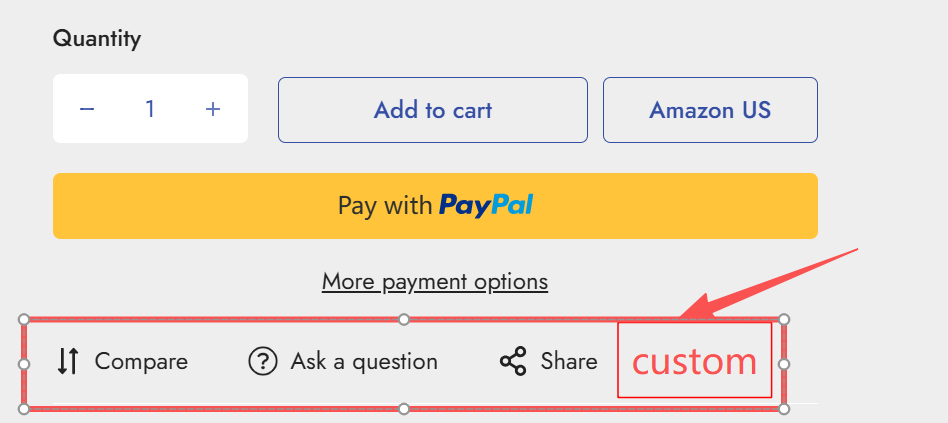
独立站Shopify Minimog主题如何修改产品页面的”Compair”,”Ask a question”,”Share”等Addon button block和添加自定义的内容
 这是minimog主题默认产品模板中的”Production information” Section区域的”Addon buttons” block块内容。如何修改并添加自定义内容呢?
- 打开”main-product.liquid”文件中,找到blocks设置中的”type”: “addons”内容,增加自定义内容”show_specs”,”show_faq”等,修改后如下:
{“type”: “addons”,“name”: “Addon buttons”,“limit”: 1,“settings”: [{“type”: “checkbox”,“id”: “show_atcp”,“label”: “Show Add to compare”,“default”: true},{“type”: “checkbox”,“id”: “show_ask_a_question”,“label”: “Show Ask a Question”,“default”: true},{“type”: “checkbox”,“id”: “show_social”,“label”: “Show social share”,“default”: true},{“type”: “checkbox”,“id”: “show_specs”,“label”: “Show specification (Technical Details)”,“default”: true},{“type”: “checkbox”,“id”: “show_faq”,“label”: “Show FAQ”,“default”: true}]}2.打开“main-product-block.liquid”文件,修改该文件,编写liquid代码实现你的自定义内容”show_specs”和”show_faq”业务逻辑和前端界面内容等。
editor's pick
latest video

news via inbox
Nulla turp dis cursus. Integer liberos euismod pretium faucibua
